RTFV Introduction
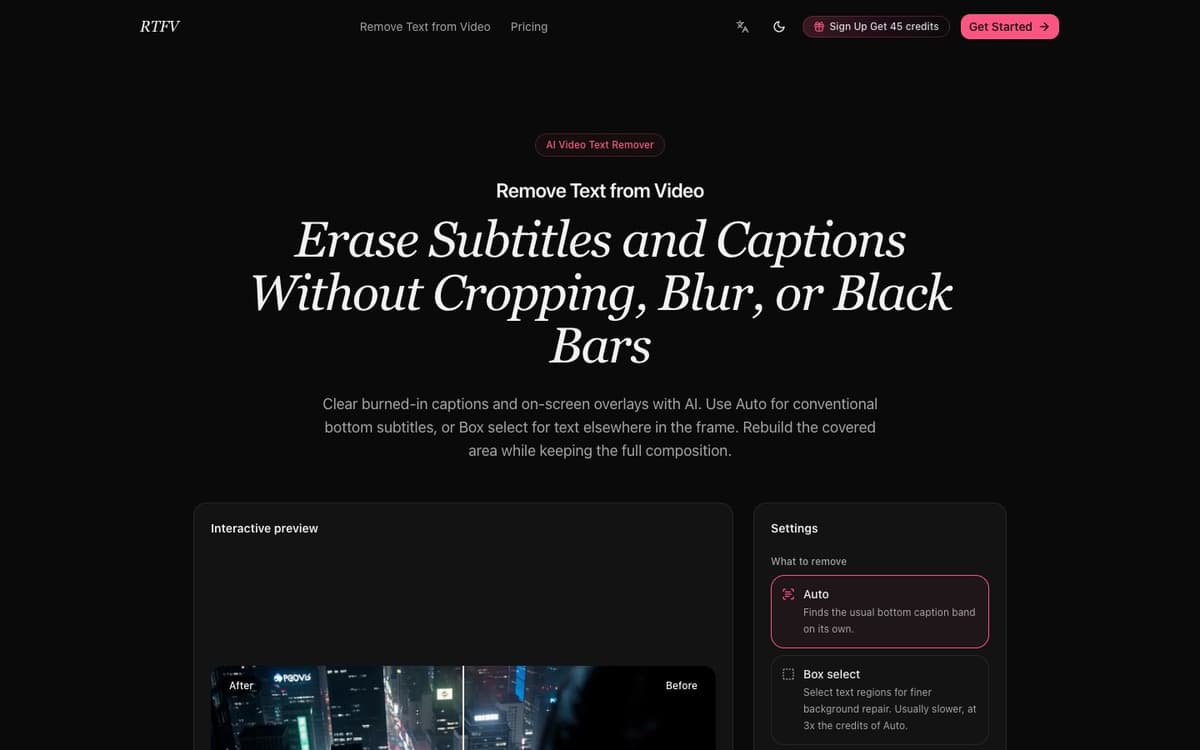
RTFV (Remove Text from Video) is an online tool for clearing lettering that has been burned into the picture — hardcoded subtitles, captions, timestamps, channel labels and text-based watermarks. It detects the text region with OCR and then reconstructs the background behind it using information from neighbouring frames, so the full composition is kept instead of being cropped, blurred or hidden behind a black bar. Two modes are available: Auto, a faster and cheaper pass aimed at the usual white Chinese or English caption band near the bottom centre of the frame, and Box select, where you draw rectangles around text anywhere in the frame for more detailed repair. Credits are calculated from the video's actual duration in seconds rather than rounded-up minutes, the estimate is shown before processing starts, and failed tasks return their credits.
RTFV Key Features
Auto Subtitle Removal
Detects the conventional white Chinese or English caption band near the bottom centre and erases it at 1 credit per video second.
Box Select for Text Anywhere
Draw one or more rectangles around titles, timestamps, labels or logos elsewhere in the frame for finer background reconstruction, at 3 credits per video second.
Temporal Inpainting, Not Cropping
The covered area is rebuilt from neighbouring frames, so the full frame is preserved with no crop, blur or black bar.
Billed by the Second
Credits are calculated from the real duration — a 61-second clip is billed from 61 seconds, not rounded up to two minutes — and the estimate is shown before you start.
Large Files and Automatic Cleanup
Upload MP4 or MOV sources up to 2 GB and 2K resolution; source and processed files stay available for 30 days after upload and are then deleted automatically.
RTFV Use Cases
- Strip hardcoded subtitles from a clip before adding a new translation or subtitle track.
- Remove outdated titles, timestamps or platform labels before reusing older footage.
- Clean text-based logos, lower thirds or slide annotations while keeping the whole frame.
- Prepare a clean master of a video so captions can be re-added in another language.
RTFV User Guides
-
Open rtfv.app and upload an MP4 or MOV source up to 2 GB and 2K resolution.
-
Choose Auto for typical bottom captions, or Box select and draw rectangles around the text you want gone.
-
Review the credit estimate based on duration and mode, then start the task.
-
Let processing run in the background and watch the status in the workspace.
-
Play back through caption changes and scene cuts to check for residue, then download the result.
RTFV Pricing
Sign-up grants 45 credits. Annual subscriptions: Basic $4.90 per month ($58.80 a year, 8,400 credits), Standard $9.90 per month ($118.80 a year, 19,200 credits), Pro $19.90 per month ($238.80 a year, 43,200 credits) and Max $39.90 per month ($478.80 a year, 96,000 credits); monthly and one-time options are also offered. Credits are spent at 1 per second for subtitle removal and 3 per second for general text removal. Prices checked October 16, 2026.
RTFV Frequently Asked Questions
Which videos is this for?
When should I use Auto instead of Box select?
How much does a video cost?
What file limits apply?
What happens to my files?
What if a render fails?
RTFV alternatives

Magicroll.ai
Magicroll.ai is an AI-powered tool that creates viral shorts with automatic B-Roll, motion graphics, and captions, making professional video editing fast, easy, and accessible to everyone.
Captions or Subtitle

Dadan AI Assist
Dadan AI Assist simplifies video creation with auto-generated transcriptions, SEO data, chapters, and interactive elements, enhancing engagement and discoverability while saving time.
Transcription

AI Slides to Video Presentation Maker
VEED's AI Slides to Video turns your slides into engaging, pro-level videos effortlessly, making presentations captivating and retaining information better than text.
AI Content Generator

ShortMake
ShortMake uses AI to transform ideas into high-quality, engaging videos in under 8 minutes, complete with voiceovers, subtitles, and visuals.
Captions or Subtitle

klingai
KLING AI is an advanced creative studio by Kuaishou Tech, specializing in generating realistic images and 1080p videos with diverse styles and intricate details.
AI Photo & Image Generator

SceneSnap
SceneSnap is an AI tool for personalized video summaries, making learning faster and more efficient by tailoring content to your interests.
Summarizer